DashNova: A Free Bootstrap 5 Admin Dashboard Template with RTL Support
Building a professional admin dashboard from scratch can consume valuable development time. You need to create a responsive layout, navigation system, analytics cards, tables, forms, charts, authentication pages, and mobile-friendly components—all while maintaining a consistent design.
DashNova makes this process easier.
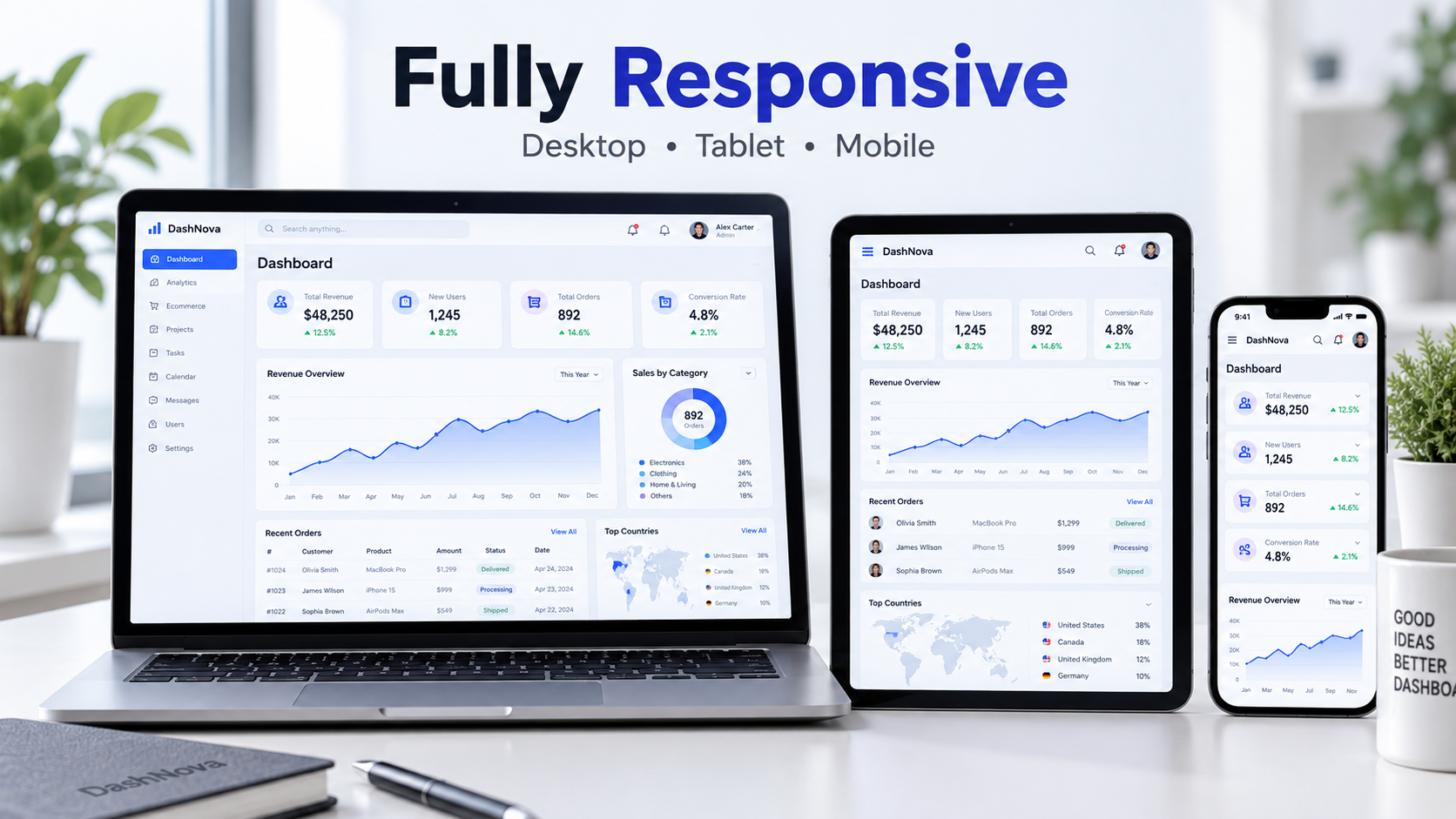
DashNova is a modern and responsive Bootstrap 5 admin dashboard template created for developers, startups, SaaS platforms, online stores, management systems, and business applications. It provides a clean interface, essential dashboard pages, Arabic RTL support, English LTR support, and both light and dark modes.
You can use DashNova as a starting point for your next dashboard or customize it to match your project’s branding and requirements.
What Is DashNova?
DashNova is a ready-to-customize HTML admin dashboard template built with Bootstrap 5, HTML5, CSS3, and JavaScript.
The template includes 12 English LTR pages and 12 Arabic RTL pages, giving you a total of 24 ready-made pages. Its bilingual structure makes it especially useful for projects that target both international and Arabic-speaking audiences.
DashNova can be used for:
SaaS administration panels
E-commerce dashboards
Customer management systems
Analytics platforms
Project management applications
Content management systems
Internal business tools
Membership websites
CRM and ERP interfaces
Startup dashboards
Main Features of DashNova
Bootstrap 5 Framework
DashNova is built with Bootstrap 5, providing a reliable responsive grid system and reusable user-interface components. Developers familiar with Bootstrap can quickly customize the layout, colors, spacing, buttons, cards, tables, and forms.
Complete Arabic RTL Support
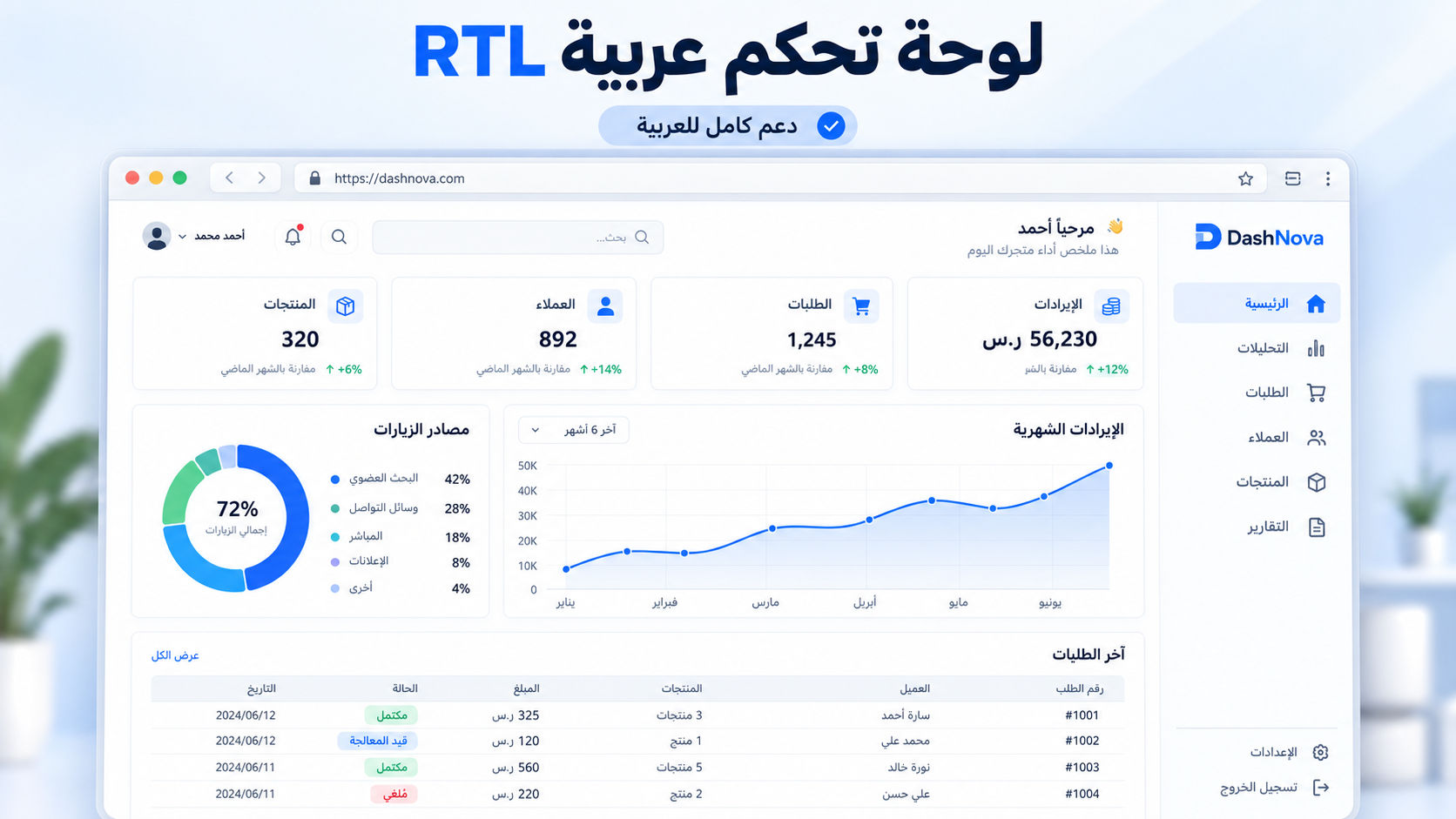
Many free admin templates only provide left-to-right layouts. DashNova includes dedicated Arabic RTL pages with properly aligned navigation, content, tables, forms, and interface elements.
The Arabic version is not limited to translated text. Its layout has been adapted to provide a natural right-to-left browsing experience.
English LTR Version
The template also includes a complete English left-to-right version. This makes DashNova suitable for international products and multilingual platforms.
Visitors and administrators can move between the Arabic and English versions through the included language navigation.
Light and Dark Modes
DashNova supports light and dark interface modes. Users can choose the appearance that fits their working environment or personal preference.
The light mode offers a clean and spacious appearance, while the dark mode provides a modern dashboard experience with comfortable contrast.
Fully Responsive Design
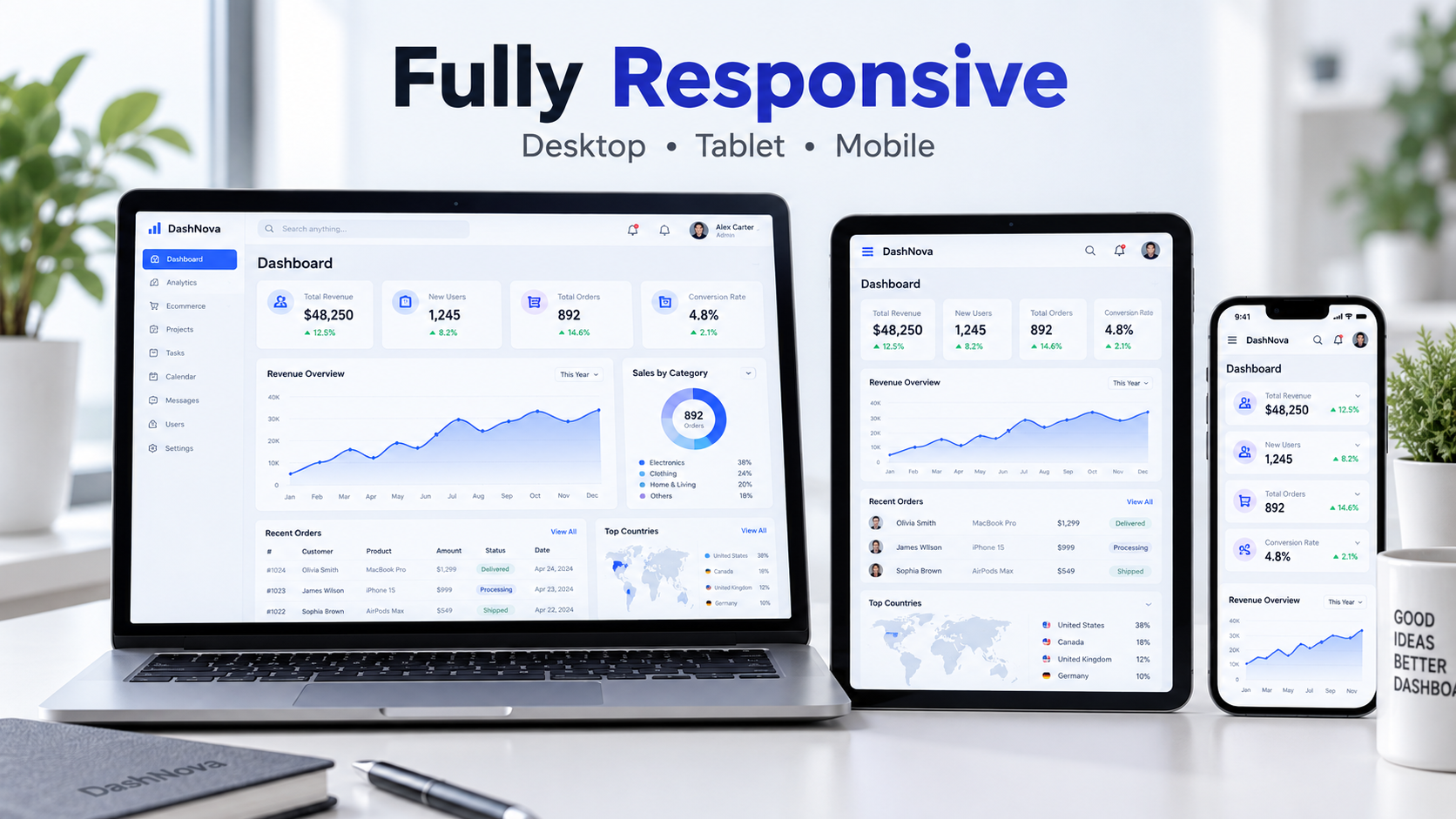
The dashboard is designed to work across different screen sizes, including:
Desktop computers
Laptops
Tablets
Smartphones
Cards, navigation menus, tables, charts, and page sections automatically adapt to the available screen width.
Modern Analytics Interface
DashNova includes an attractive analytics layout with statistics cards, performance indicators, charts, recent activity, and organized data sections.
These components can be connected to your application’s backend to display real information from a database or external API.
Reusable Dashboard Components
The template provides reusable components that can help developers build new pages faster. These include:
Statistics cards
Charts and analytics sections
Responsive tables
Status badges
Progress indicators
Navigation menus
Forms and input controls
User profile elements
Buttons and alerts
Activity and notification sections
Pages Included in DashNova
DashNova contains 12 pages in English and matching versions in Arabic.
Dashboard
The main dashboard presents important statistics, performance charts, activity information, and organized business data in one responsive interface.
Analytics
The analytics page is designed for presenting traffic, sales, revenue, growth, and other measurable results.
Orders
Display and manage customer orders using structured tables, order statuses, dates, and relevant information.
Customers
Organize customer records and display important account or contact information in a clear format.
Products
Show products, prices, stock information, categories, and product status inside the administration panel.
Messages
Provide an organized interface for viewing messages, conversations, or support requests.
Calendar
Present scheduled tasks, appointments, events, and important dates in a dashboard-friendly format.
Reports
Create a central area for business reports, performance summaries, and downloadable information.
Profile
Allow administrators or users to view their information and manage account details.
Settings
The settings page can be customized for general preferences, account options, notifications, security, and system configuration.
Sign In
DashNova includes a clean login page that can be connected to your preferred authentication system.
Sign Up
The registration page provides a professional starting point for creating new user accounts.
Who Should Use DashNova?
DashNova is suitable for both beginners and experienced developers.
Beginners can use it to study the structure of responsive Bootstrap dashboards and learn how different interface components work together.
Experienced developers can save development time by using the template as the frontend foundation for a larger project.
It is particularly useful for:
Frontend developers
Backend developers
Laravel developers
PHP developers
Startup founders
Freelancers
Students
SaaS product creators
Agencies
Small businesses
Technologies Used
DashNova is created using widely supported frontend technologies:
HTML5
CSS3
Bootstrap 5
JavaScript
Responsive web design
RTL and LTR layouts
The template does not require a complex installation process or a special build system to preview its pages.
How to Install DashNova
Installing and using DashNova is simple.
Step 1: Download the Template
Visit the official DashNova product page on Codlixa and download the template archive:
Download the Free DashNova Admin Dashboard
Step 2: Extract the Archive
Use an archive application such as WinRAR or 7-Zip to extract the downloaded ZIP file.
Step 3: Open the Main Page
Open index.html in your web browser to view the English dashboard.
To view the Arabic RTL version, open the index.html file located inside the Arabic folder.
Step 4: Customize the Template
Open the project files in a code editor such as Visual Studio Code. You can then customize:
Brand name and logo
Colors and typography
Navigation items
Dashboard statistics
Tables and forms
User information
Page content
Charts and analytics data
Step 5: Connect It to Your Backend
DashNova is a frontend HTML template. Authentication, database operations, real analytics, form processing, and other server-side features must be connected to your preferred backend technology.
The template can be integrated with Laravel, PHP, Node.js, ASP.NET, Django, or another backend framework.
Why Choose DashNova?
DashNova combines several features that are not always available together in a free admin template.
You receive a responsive Bootstrap 5 design, English and Arabic pages, proper RTL support, light and dark modes, essential admin screens, and reusable interface components.
Its clean structure also makes customization easier, allowing you to transform it into a dashboard for many different types of projects.
DashNova License
DashNova is available under a free license for personal and commercial projects.
You may customize and use the template in your own websites, client projects, applications, and commercial systems. However, you may not resell or redistribute the original template—or a lightly modified version—as a competing downloadable product.
Attribution to Haneen Web is appreciated but not required.
Download DashNova for Free
If you need a modern, bilingual, and responsive admin dashboard, DashNova provides a practical foundation for your next project.
Download it today, explore its English and Arabic pages, customize the interface, and connect it to your preferred backend system.
Download DashNova – Free Bootstrap 5 Admin Dashboard Template