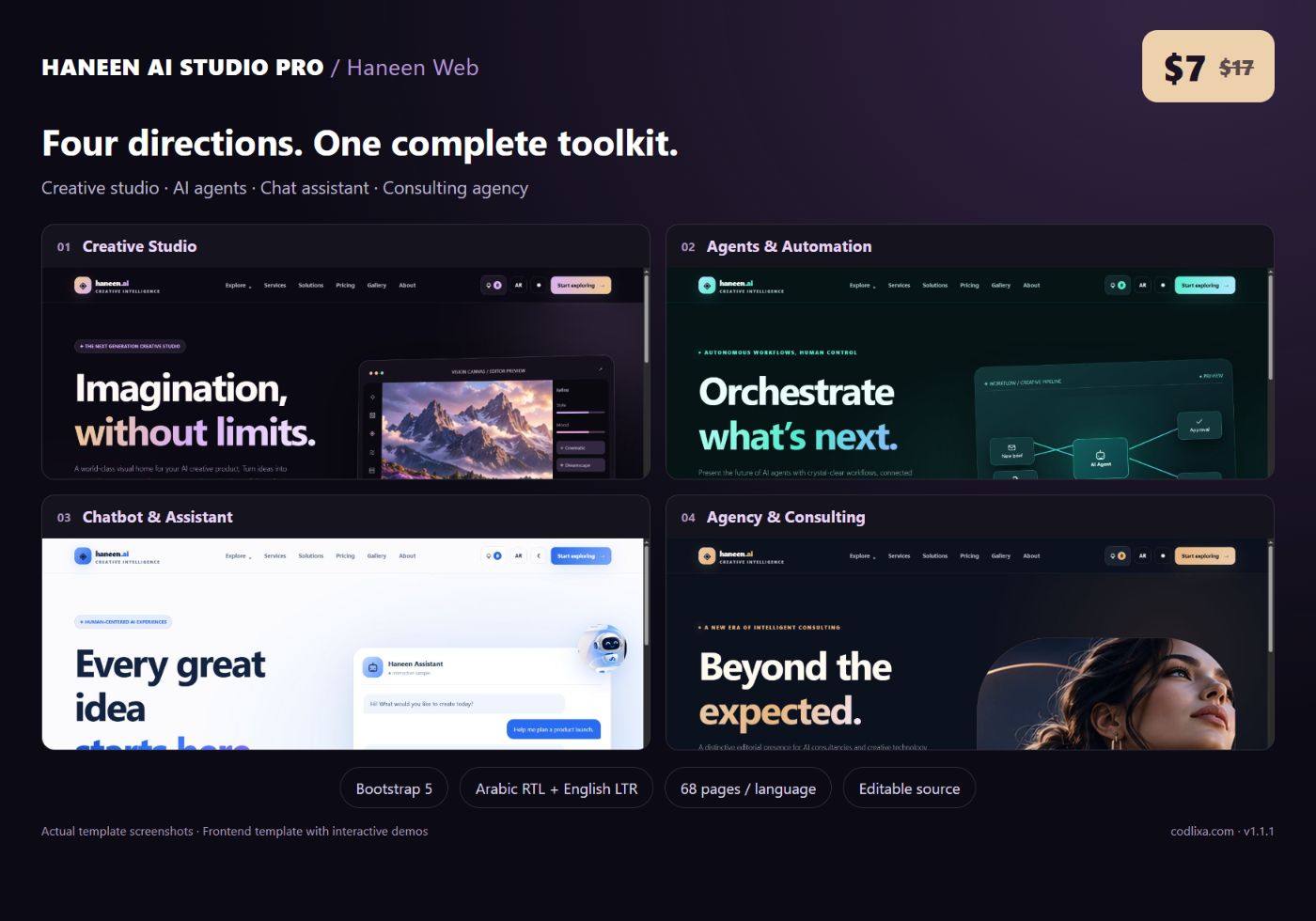
A convincing AI website needs more than a striking hero section. Visitors should be able to understand the offer, explore features, compare plans and find a clear next step. Haneen AI Studio Pro brings those parts together in one editable Bootstrap template, with four homepage directions and a shared library of practical pages.
The complete Haneen AI Studio Pro bundle is $7 on offer, with a regular price of $17. One purchase includes both languages, all four homepage demos, the shared interiors, editable source, documentation and a license for one end project. The four demos are design options within one product; they are not four independent project licenses.
Choose your visual direction
Creative Studio
Dark plum, lavender and champagne accents frame a visual editor concept, artwork gallery and creative feature sections. This direction suits an image or content creation brand that wants a strong visual first impression. The editor and generated-art presentation are illustrative frontend content, not a connected generation engine.
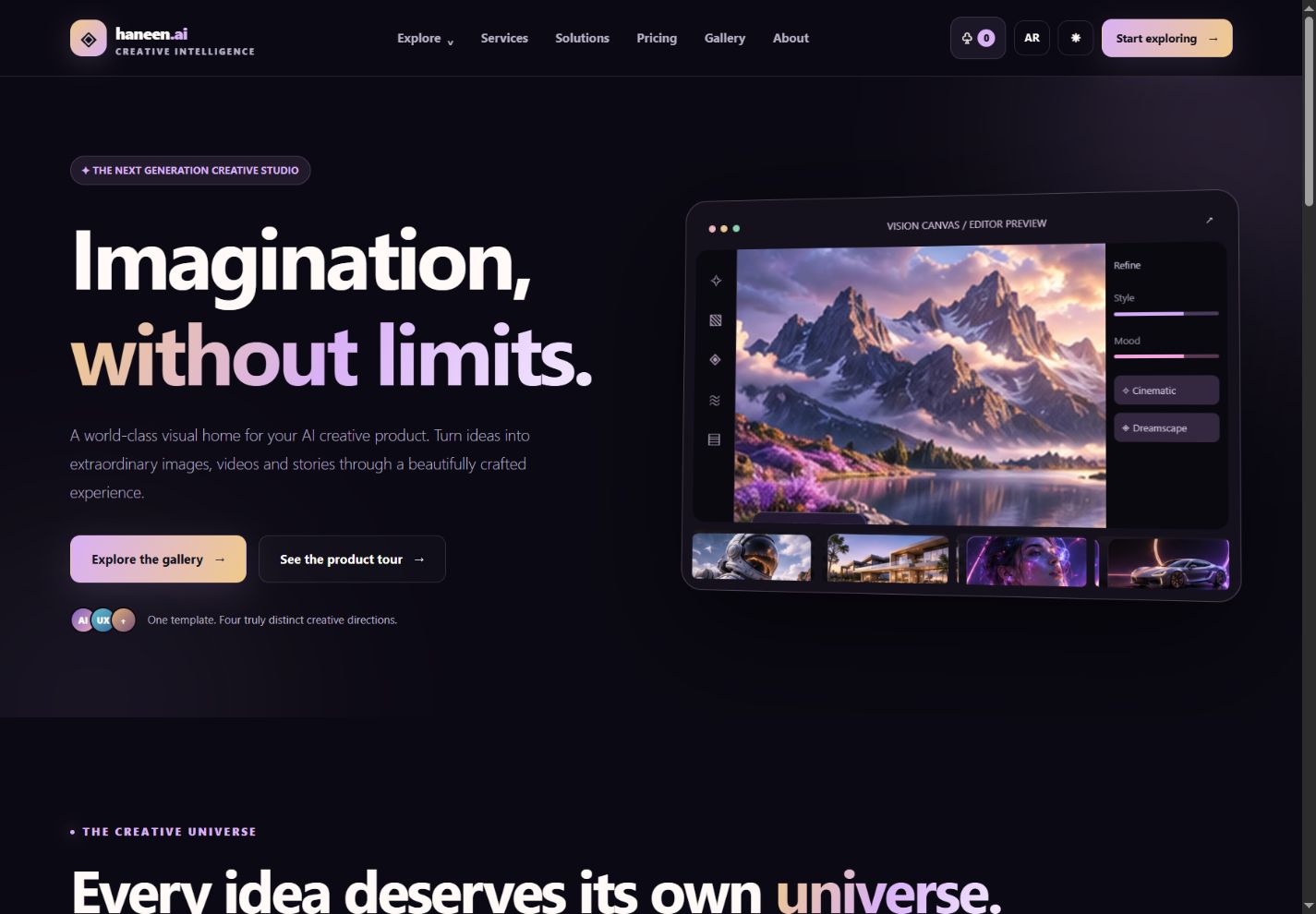
AI Agents & Automation
Graphite and teal put connected workflows at the center of the page. A diagram introduces the relationship between inputs, an agent, approval and delivery. Use this direction for automation consultants or an AI operations product; the workflow action is a local simulation and does not call external systems.
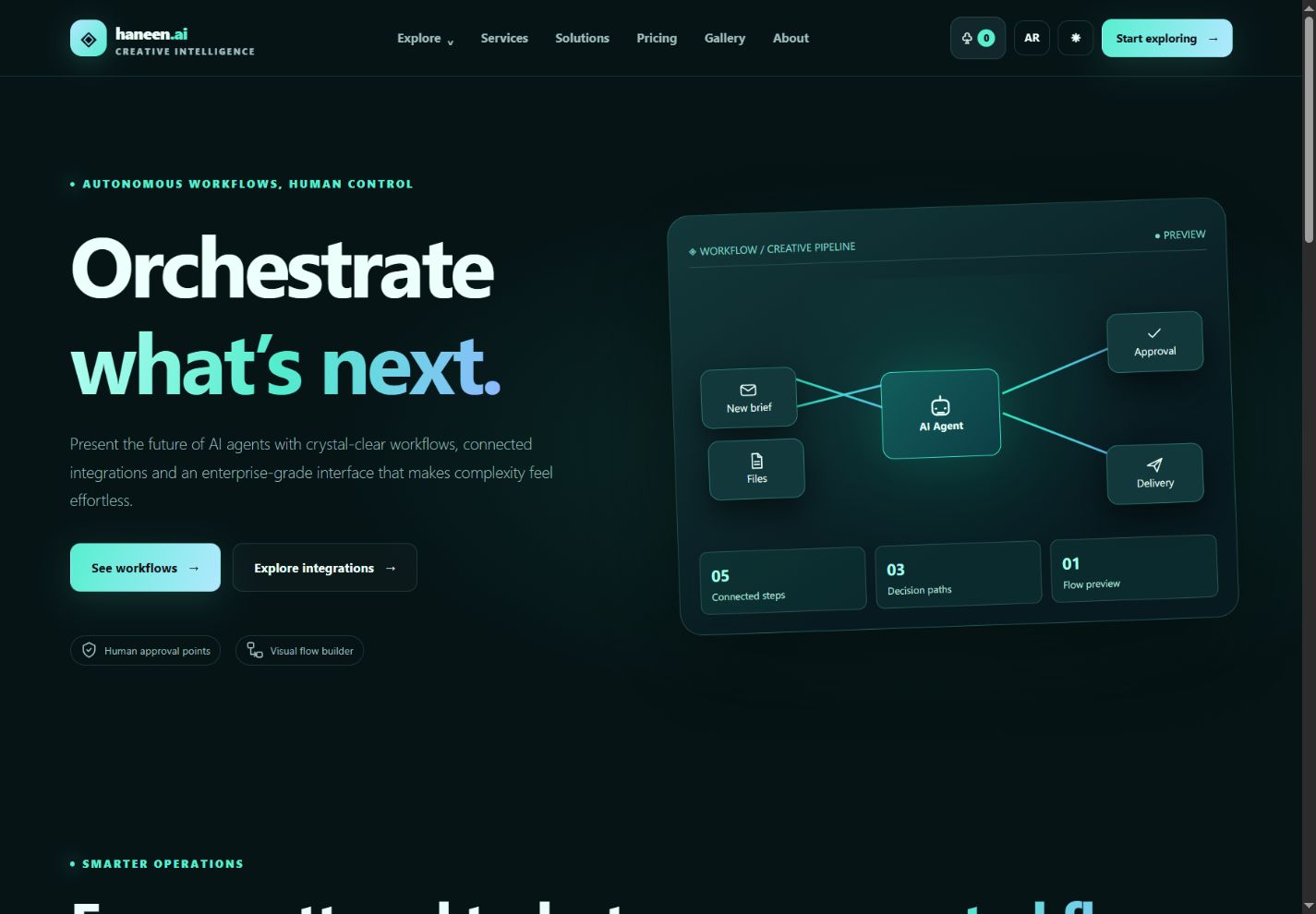
Chatbot & Assistant
An ivory and cobalt palette creates a lighter, approachable interface around the assistant conversation. The chat accepts text and returns scripted demo replies locally. It is a useful presentation foundation for a support assistant, knowledge product or conversational service when paired with your own backend.
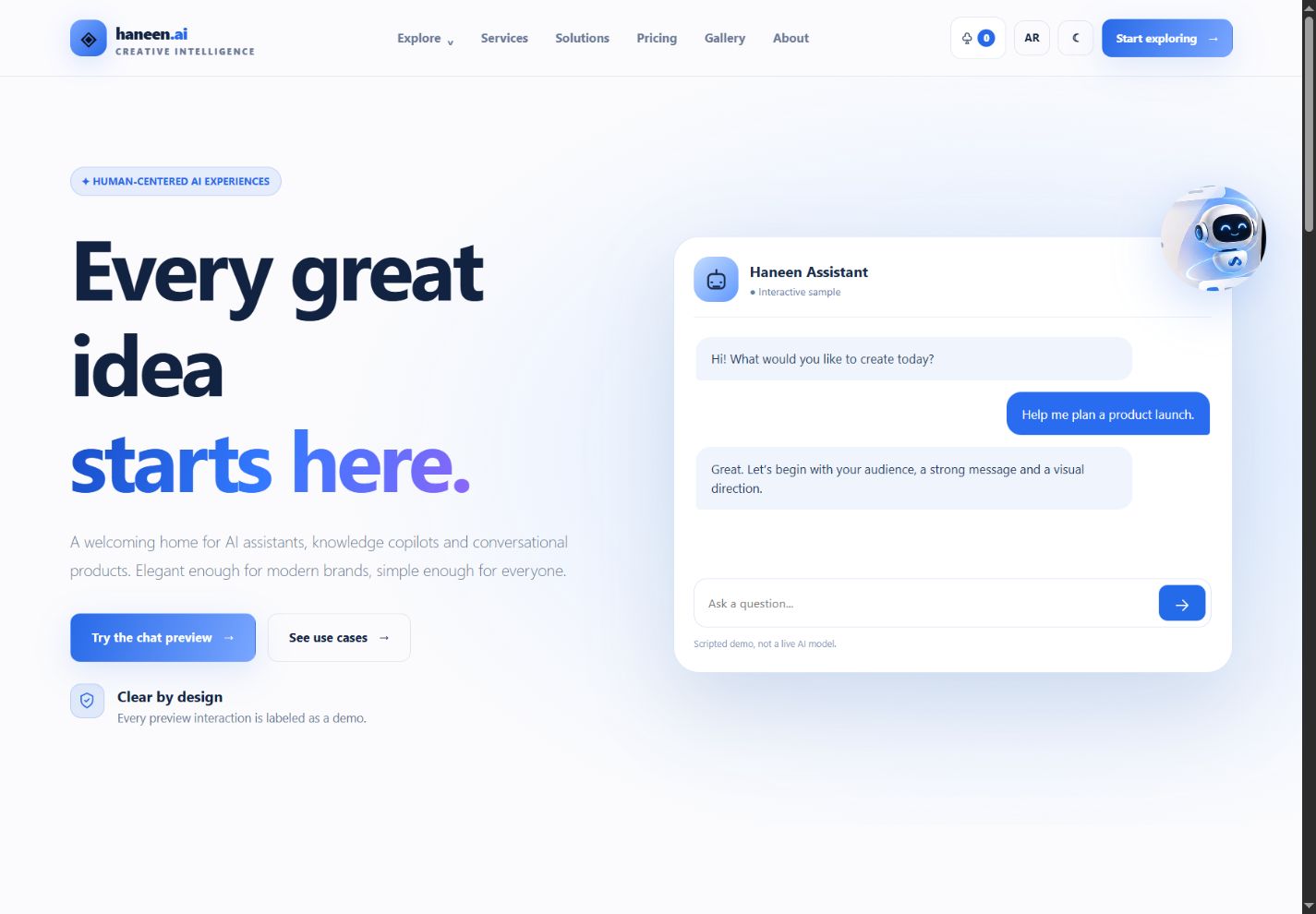
Agency & Consulting
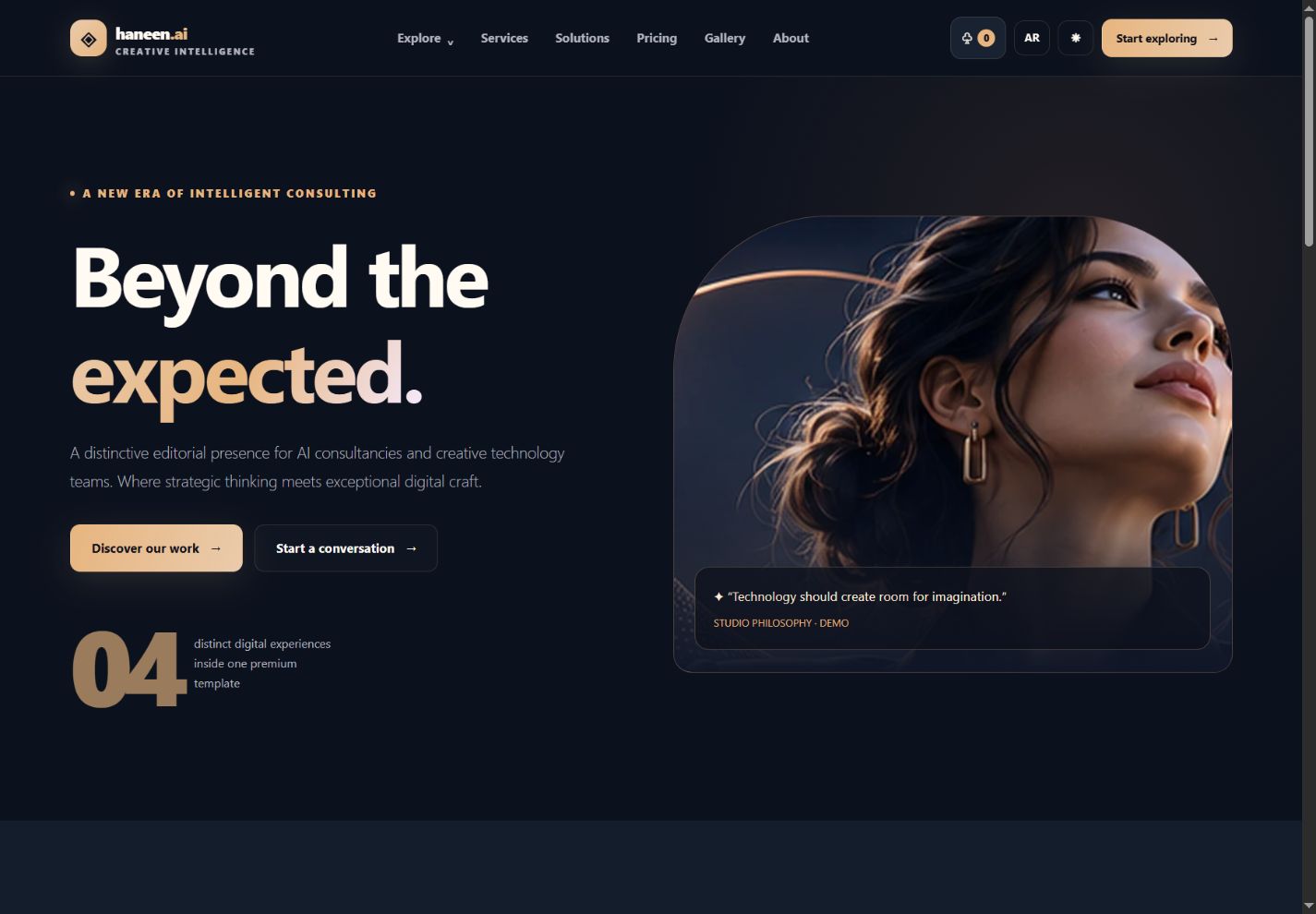
Midnight blue, copper and an editorial image-led composition give consulting work a more deliberate presentation. Use the accompanying company, team, case-study, brief and contact pages to explain your approach and guide prospects toward a conversation. Replace sample claims and imagery with content appropriate to the real business.
What is in the download?
- 68 English LTR pages and 68 Arabic RTL pages: four homepage designs plus 64 shared inner-page types in each language.
- A root demo selector and an additional minimal Bootstrap starter page.
- Local Bootstrap 5.3.6, original theme styles, JavaScript source, image assets and Python page generators.
- Feature, solution, integration, tool, prompt, gallery, company, pricing, resource, account-demo and legal-template pages.
- A 12-item illustrative service catalog: nine one-off offerings and three sample subscription plans.
- Cart, quantity changes, billing period selection, DEMO10 coupon, local checkout, order history, invoice preview and subscription demonstration.
- Project brief and quote-estimate exports, contact validation and a structured support request workflow.
- Bilingual single-project license, third-party credits, setup documentation and actual homepage screenshots.
A shared page system behind four homepages
Each demo provides a different first impression while the interior pages share a common structure and theme. You can choose one homepage, reuse sections from the others within your licensed project, and adapt the shared pages around your brand. Changing a homepage does not automatically turn every interior page into that homepage’s palette; shared tokens and theme classes are the place to make those changes.
Explore features, solutions and creative libraries
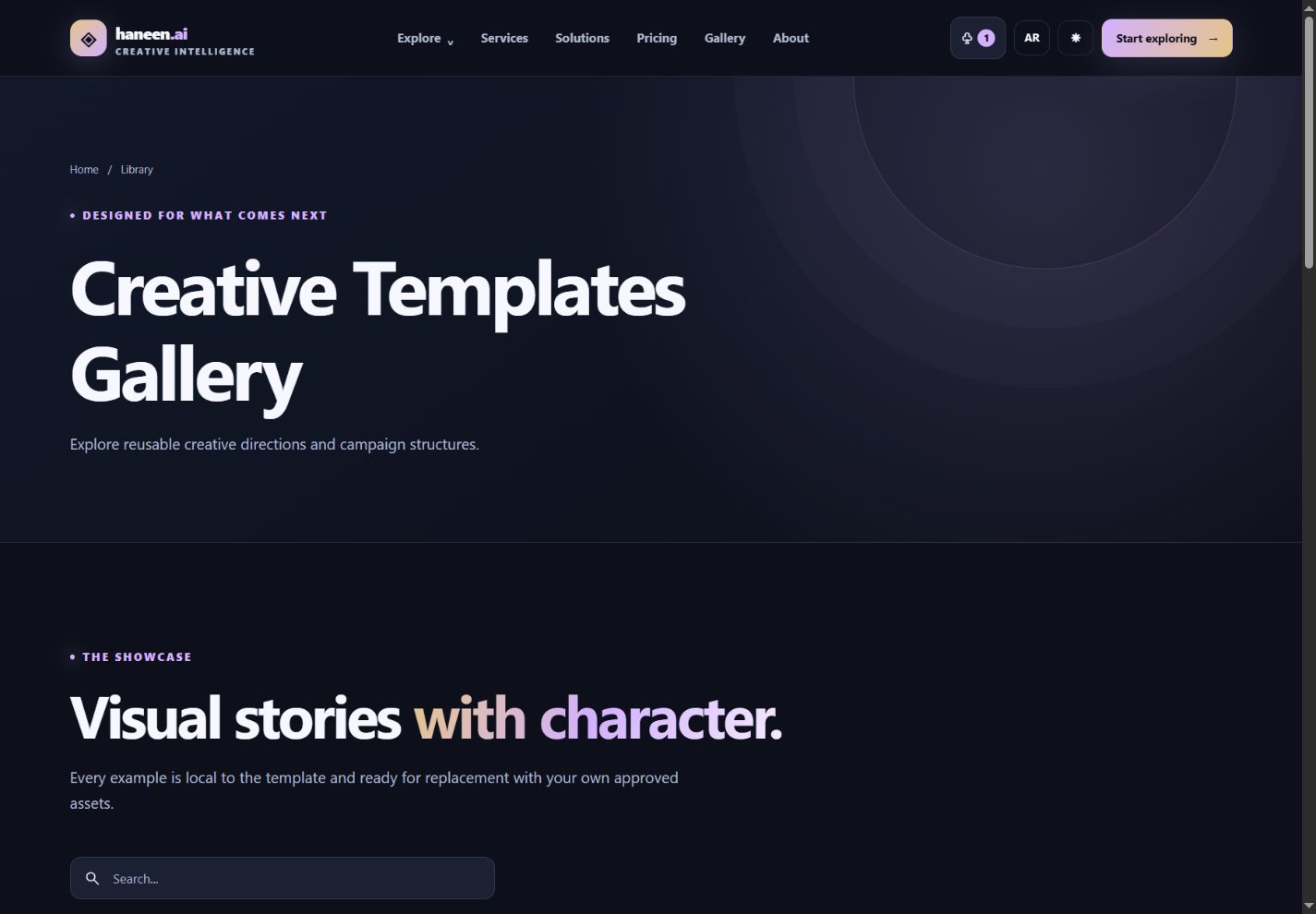
Feature pages cover image, video, voice, writing, chat and automation experiences. Solution pages organize the message for teams, creators, agencies, e-commerce and marketing. Tool, prompt, integration and creative-gallery pages demonstrate searchable or filterable libraries. Prompt copy actions, comparison controls and the product tour make the demo tangible. The named integrations are presentations; API credentials and working third-party connections are not bundled.
Understand the full demo purchase journey
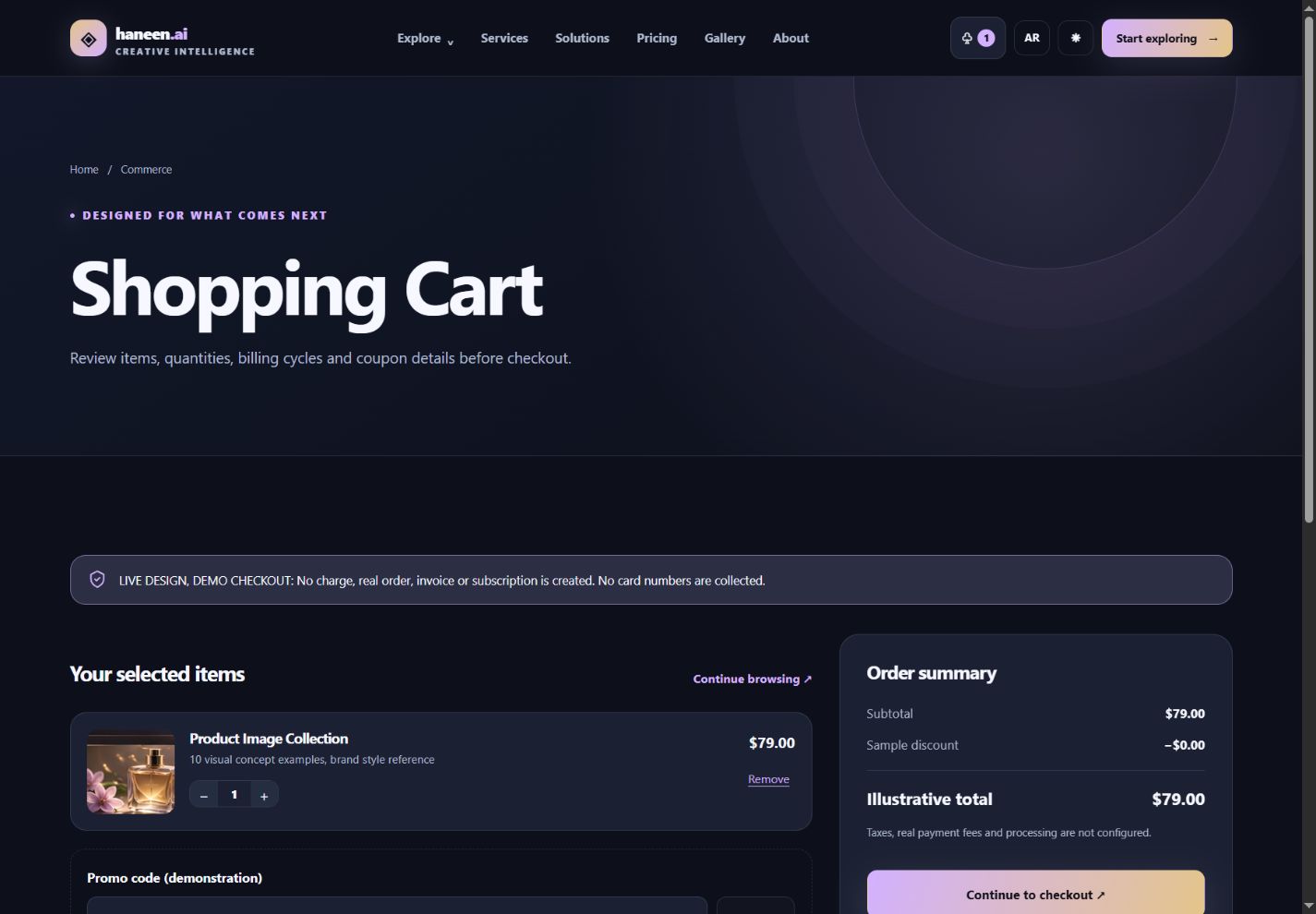
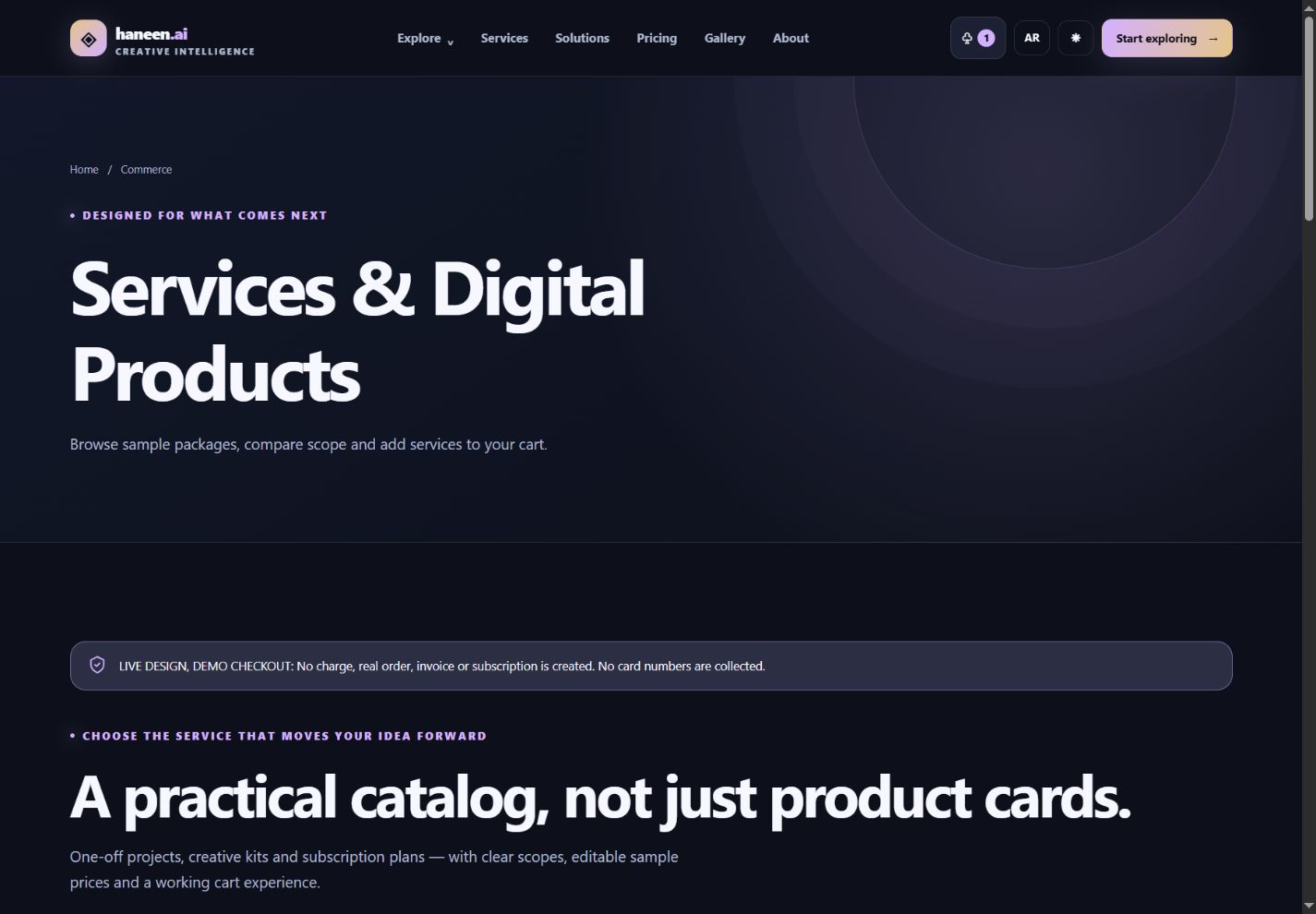
Start in Services, choose an offering, inspect its detail page and add it to the cart. Change the quantity of a one-off service, select monthly or yearly billing for a plan, and try DEMO10. Checkout validates the example contact form without saving its personal fields, then creates a non-personal local sample order. Order and invoice pages show the sample totals, and the subscription page demonstrates renewal controls. None of these screens charges money or creates a production invoice. The service prices in the demo are example content, separate from the $7 price of the template bundle.
Useful planning and contact pages
The quote estimator combines hours, hourly rate, complexity and contingency into a planning figure and a local text export. The brief builder organizes a project goal, audience, deliverables and other inputs into a downloadable draft. Contact and support pages validate or prepare copyable text locally. Connect a server or messaging provider to deliver real requests; the unmodified demo does not send email or open support tickets.
Arabic and English from the start
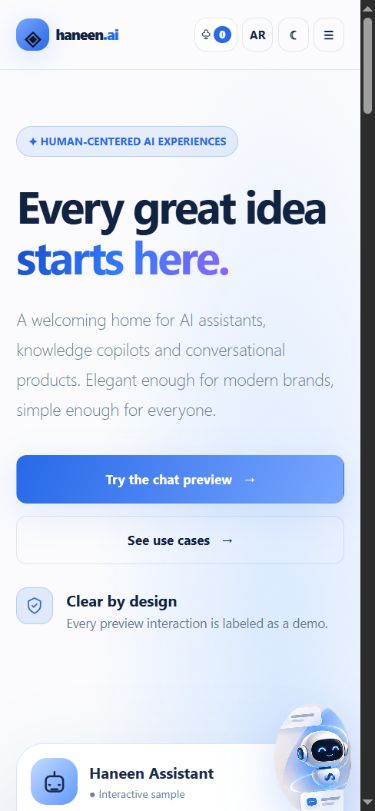
Both language editions are included as separate HTML folders, with lang and dir attributes and localized content. Language switching on a service, order or invoice preserves its identifier. The corrected mobile header keeps the cart, language control and menu accessible at the tested small sizes, and Bootstrap Collapse controls the mobile navigation. Review your own long labels and added components in both directions after customization.
Light and dark appearance
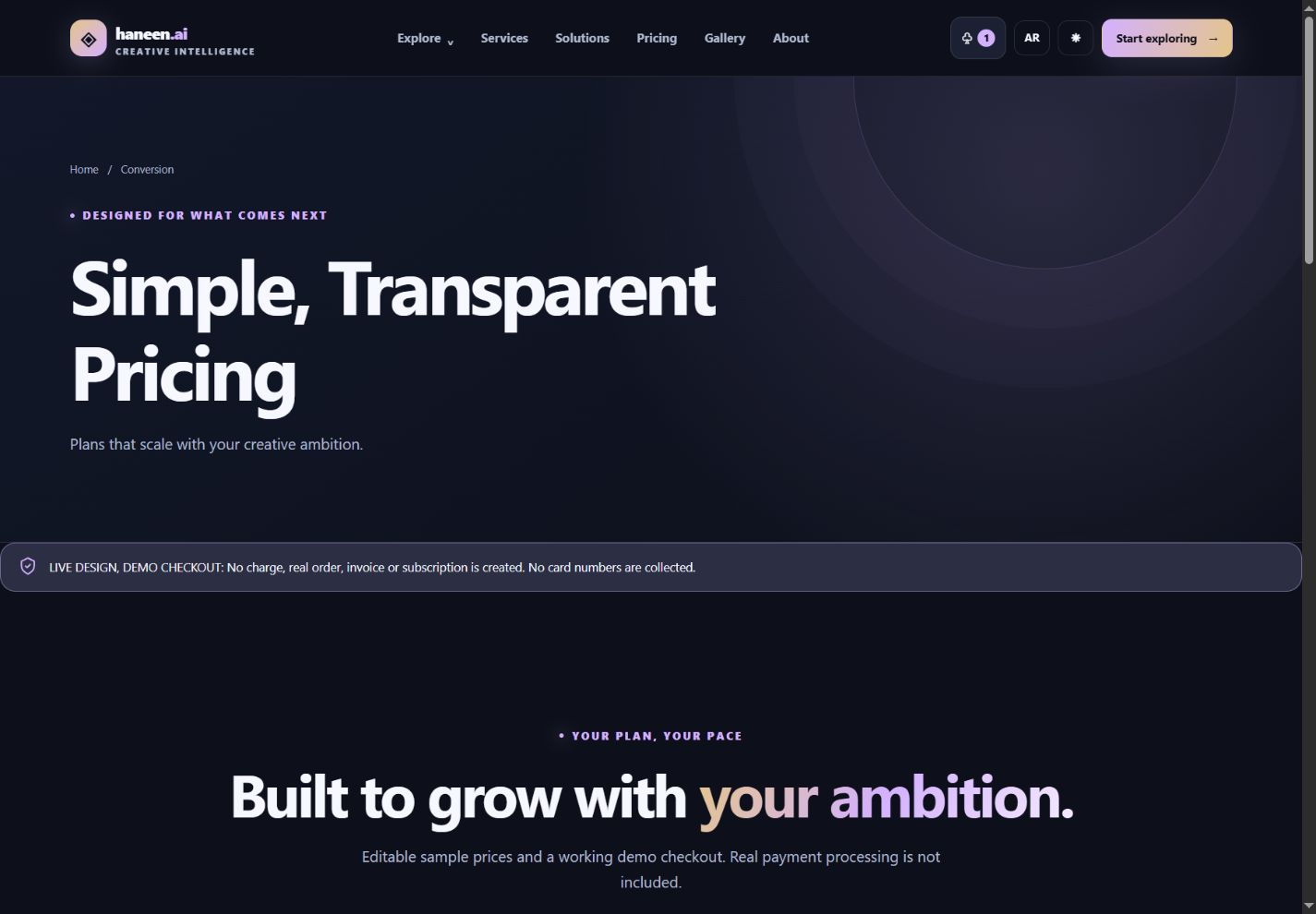
The four homepage palettes give the bundle its distinct personalities. The appearance control lets visitors explore light/dark presentation, while the common CSS tokens organize colors, surfaces, borders and spacing for the developer. Your brand, copy, assets and component choices remain editable; no hosted page builder is required.
What the template does not include
This is an HTML/CSS/JavaScript frontend product. It does not supply a live AI model, account authentication, password-reset service, payment gateway, secure order database, email delivery or hosting. Account and legal pages are editable examples. Plan the backend, security, real content and policies for your own service before a production launch.
Quality checks and the 1.1.1 improvements
The release corrects the mobile header, preview-cart continuity, language-link identifiers and unexpanded service-page source expressions. The localized pages were checked at 320px and 1440px, and all eight homepages were also checked at 390px, 768px and 1024px: 296 browser observations with no horizontal overflow recorded. The sandbox purchase demonstration was exercised through coupon, checkout, Arabic confirmation and invoice. Six automated state tests cover persistence and invalid data. These results describe the tested Chromium environment; they are not a claim of universal browser compatibility or formal accessibility certification.
How to install and customize
- Download and extract the buyer ZIP while keeping the folders together. Open index.html to choose a demo; a local HTTP server is recommended for testing.
- Pick en/index.html, en/index-1.html, en/index-2.html or en/index-3.html, or the corresponding file under ar/. Use starter/index.html for a smaller starting page.
- Edit your branding, headings, service descriptions and images. Keep the two language versions consistent and update alt text.
- Use assets/css/studio.css for shared design tokens. Use source/build.py and source/commerce_extension.py when you want to regenerate the shared pages; back up direct HTML edits before rebuilding.
- Edit source/create_commerce_catalog.py and run it to regenerate both catalog.json and commerce-data.js. The browser reads the JavaScript catalog, so changing JSON alone is insufficient.
- Run the supplied static verifier and state regression tests. Test navigation and forms on your target devices, then connect the real backend functions required by your service.
- Upload the runnable files to your host. Set your real domain, canonical and hreflang links, social metadata and sitemap; replace all illustrative business and legal content.
Every included page
Homepage designs
- AI Creative Studio —
index.html: A new canvas for extraordinary ideas. - AI Agents & Automation —
index-1.html: Put intelligent workflows into motion. - AI Chatbot & Assistant —
index-2.html: Conversations built around people. - AI Agency & Consulting —
index-3.html: Ideas, strategy, and AI that move business forward.
Feature presentations
- All AI Features —
features.html: Explore the creative, conversational and automation capabilities in one place. - AI Chat Workspace —
feature-chat.html: Plan, summarize and explore answers in a thoughtfully designed workspace. - AI Image Generator —
feature-image.html: Go from first idea to inspiring visual directions. - AI Video Studio —
feature-video.html: Shape stories from storyboard to final frame. - AI Voice Studio —
feature-voice.html: Voice experiences designed for clarity, character and reach. - AI Writing Studio —
feature-writing.html: From blank page to polished content, with your voice intact. - AI Workflow Automation —
feature-automation.html: Connect triggers, actions and approvals into purposeful workflows.
Industry solutions
- Solutions by Industry —
solutions.html: Find practical AI journeys for every team. - AI for Marketing Teams —
solution-marketing.html: Create campaign concepts, copy and visual directions faster. - AI for Creators —
solution-creators.html: Make more room for creativity and less for repetitive tasks. - AI for Agencies —
solution-agencies.html: Move smoothly from brief to concept to client delivery. - AI for E-commerce —
solution-ecommerce.html: Create stronger product stories across every storefront. - AI for Teams —
solution-teams.html: Bring knowledge, collaboration and workflows together.
Integration pages
- Integrations Library —
integrations.html: Discover where your teams and tools can connect. - Integration: Slack —
integration-details.html: Keep conversations and handoffs in sync.
Tools, prompts and galleries
- AI Tools Library —
tools.html: Browse purpose-built tools for every creative task. - Tool Details: Visual Composer —
tool-details.html: Explore a sample visual production workspace. - Prompt Library —
prompts.html: Start better with prompts written for real creative scenarios. - Prompt: Brand Story Builder —
prompt-details.html: Shape a distinctive brand narrative in deliberate steps. - Creative Templates Gallery —
templates.html: Explore reusable creative directions and campaign structures. - Template Details: Product Launch —
template-details.html: A complete visual direction for a meaningful product announcement.
Company and editorial
- About Our Studio —
about.html: Built around curiosity, craft and responsible innovation. - Meet the Team —
team.html: The disciplines behind thoughtful AI products. - Build the Future With Us —
careers.html: Explore the kind of work that shapes better products. - Role Details: Product Designer —
career-details.html: Create thoughtful digital journeys for ambitious teams. - Contact the Studio —
contact.html: Questions, ideas or collaborations? Start here. - Security & Responsible AI —
security.html: How to communicate trust, transparency and safeguards.
Pricing and contact
- How It Works —
how-it-works.html: A clear path from your idea to your next great outcome. - Interactive Product Tour —
product-tour.html: Experience a guided tour of the interface concepts. - Simple, Transparent Pricing —
pricing.html: Plans that scale with your creative ambition. - Compare Every Plan —
compare-plans.html: Understand limits, capabilities and the right fit for your team. - Book a Product Demo —
book-demo.html: See how the experience could fit your team. - Talk to Our Team —
contact-sales.html: Tell us your goals and explore a tailored next step. - Customer Stories & Use Cases —
case-studies.html: See practical approaches to creative challenges. - Case Study: A Faster Creative Brief —
case-study-details.html: A sample blueprint for a more aligned creative team.
Help and resources
- Journal & Insights —
blog.html: Ideas on design, AI products and thoughtful execution. - Designing Better Human-AI Experiences —
blog-details.html: A practical editorial guide to trust and usability. - Frequently Asked Questions —
faq.html: Answers to the questions teams ask first. - Help & Documentation —
documentation.html: Find clear guides and example workflows. - Guide: Your First Creative Project —
documentation-article.html: A walkthrough from idea to shareable preview.
Account and utility demos
- Welcome Back —
sign-in.html: Sign in interface preview for your future product. - Create Your Account —
sign-up.html: Registration interface preview, ready for backend integration. - Recover Your Account —
forgot-password.html: A clear password recovery interface. - Choose a New Password —
reset-password.html: A secure-looking form that awaits your own backend. - Join the Early Access List —
waitlist.html: Be first to hear when something new launches. - Page Not Found —
404.html: That destination has moved or does not exist. - Something Remarkable Is Coming —
coming-soon.html: A premium coming soon page for your next launch.
Editable legal templates
- Privacy Policy Template —
privacy.html: A starter layout for your own legally reviewed policy. - Terms & Conditions Template —
terms.html: A structured starting point for your terms of service. - Cookie Policy Template —
cookies.html: Explain cookies and consent clearly to visitors. - Refund & Cancellation Policy Template —
refund-policy.html: Explain digital delivery, renewals, refunds and dispute procedures before selling.
Commerce and project planning
- Services & Digital Products —
services.html: Browse sample packages, compare scope and add services to your cart. - Service Details —
service-details.html: Review deliverables, scope, process and a clear sample price. - Shopping Cart —
cart.html: Review items, quantities, billing cycles and coupon details before checkout. - Checkout Preview —
checkout.html: A complete front-end checkout journey, with no real charges or card collection. - Order Confirmation Preview —
order-confirmation.html: Review the simulated order and learn the next step. - My Orders —
my-orders.html: Track your local sample purchases and order statuses. - Order Details —
order-details.html: See included services, totals and the demonstration order timeline. - My Invoices —
invoices.html: View illustrative billing records generated in your browser. - Invoice Details —
invoice-details.html: Printable sample invoice with amounts and clear demo markings. - Manage Subscription —
subscriptions.html: Preview an account billing overview and subscription lifecycle. - Project Quote Estimator —
quote-estimator.html: Estimate creative work budgets by scope and export a draft. - Project Brief Builder —
project-brief.html: Turn a vague request into a structured, downloadable project brief. - Customer Support Requests —
support-center.html: Find answers and prepare a clear request for the support team.
License and use
One license covers one end project, including its Arabic and English editions and any of the four homepage designs. You may customize the template for yourself, your business or one client and share source privately with the team working on that project. You may not resell, give away or publish the template files as a reusable competing product. Each additional independent project needs another license. Read the included LICENSE.txt and third-party notices for the complete terms.
Explore the complete bundle
View the product, browse the live demos and get the complete bilingual bundle for $7.